For parents
Your whole family, in one place.
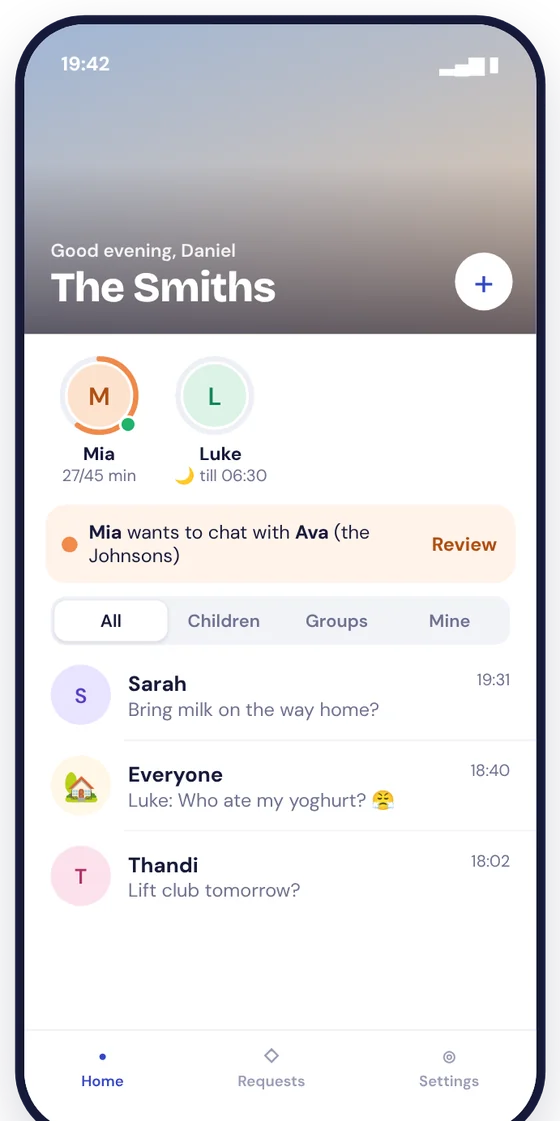
Each child sits under you, with their chats, their time today and their friends. Requests that need you are at the top.
Private beta · South Africa
Nest is a family messenger where your child's account sits under yours. Family, approved friends and groups, with the parental controls built in. You choose how much you see as they grow, and they're told which.
How Nest works
These are the real screens from the Nest app, with made-up families.
Each child sits under you, with their chats, their time today and their friends. Requests that need you are at the top.
Family and approved friends in one tap, groups for school and sport, and a clear view of how much time is left today.
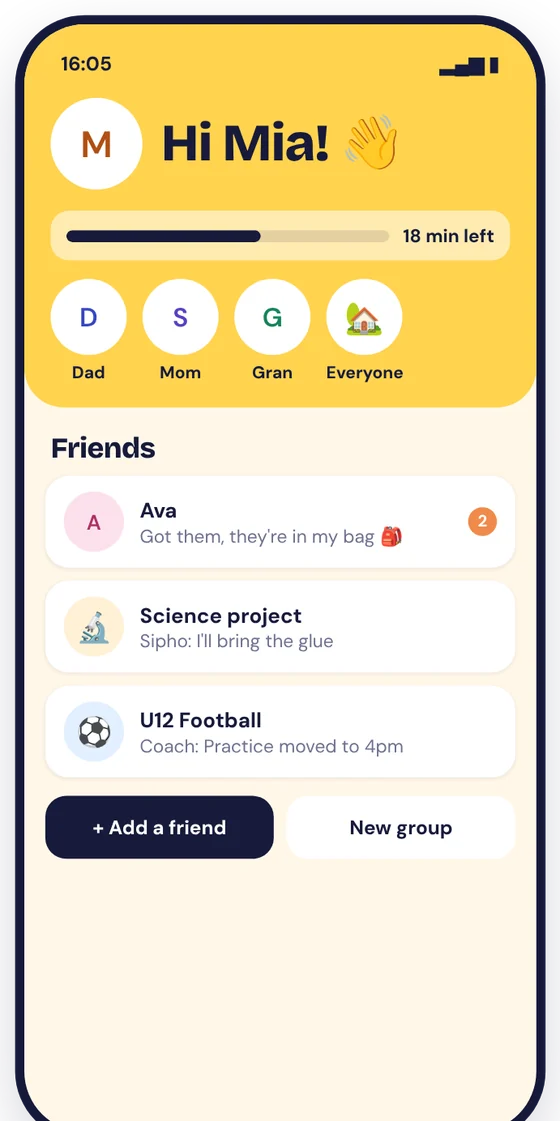
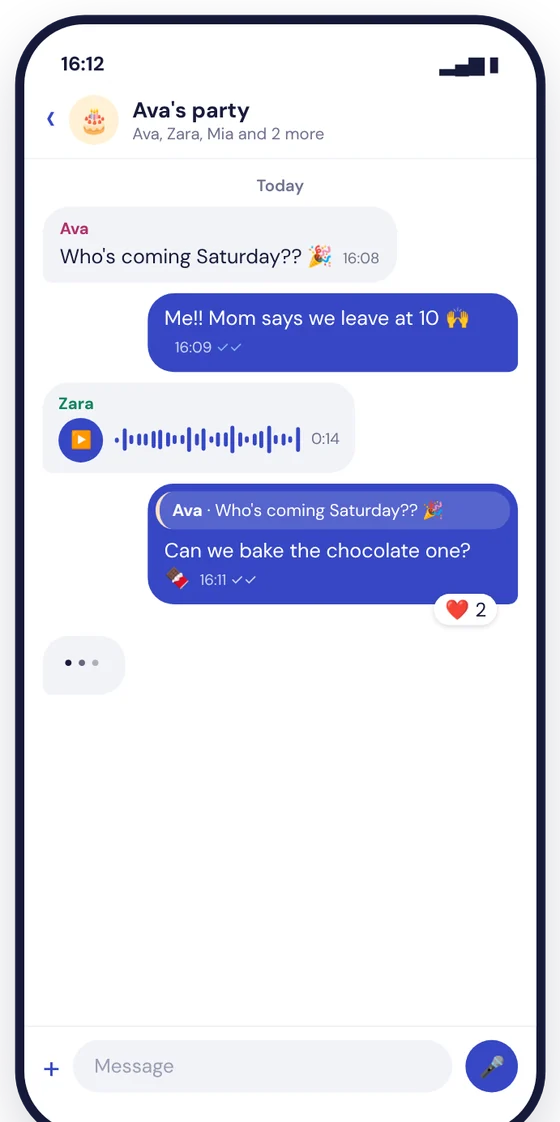
Ticks, replies and emoji reactions: everything they're used to from other messengers, in a space you set up.
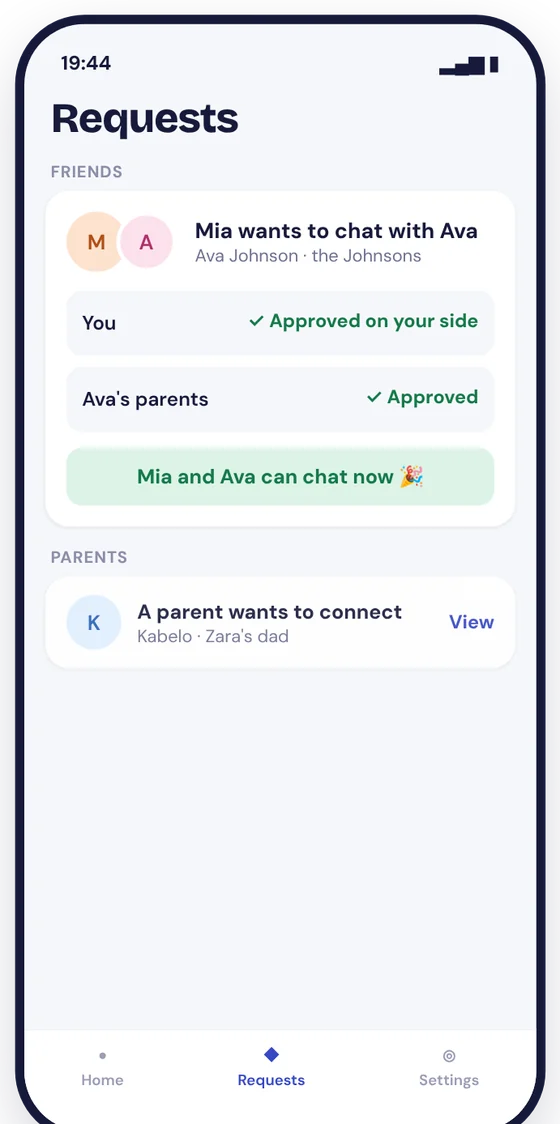
A child from another family can only chat with yours once both families' parents have approved.
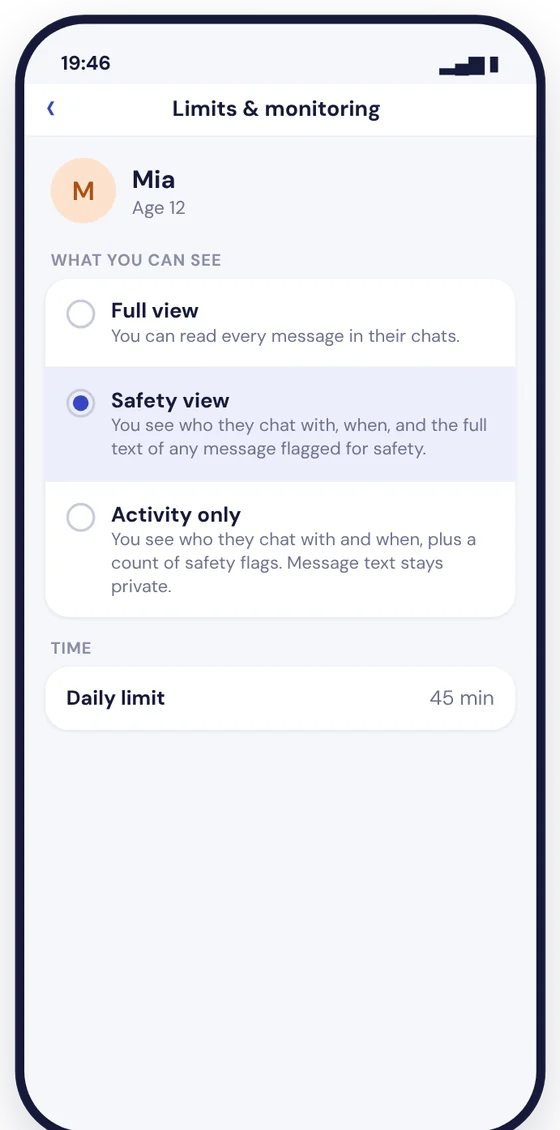
Every message, only messages flagged for safety, or just who they chat with and when. Your child sees a plain note that says which applies.
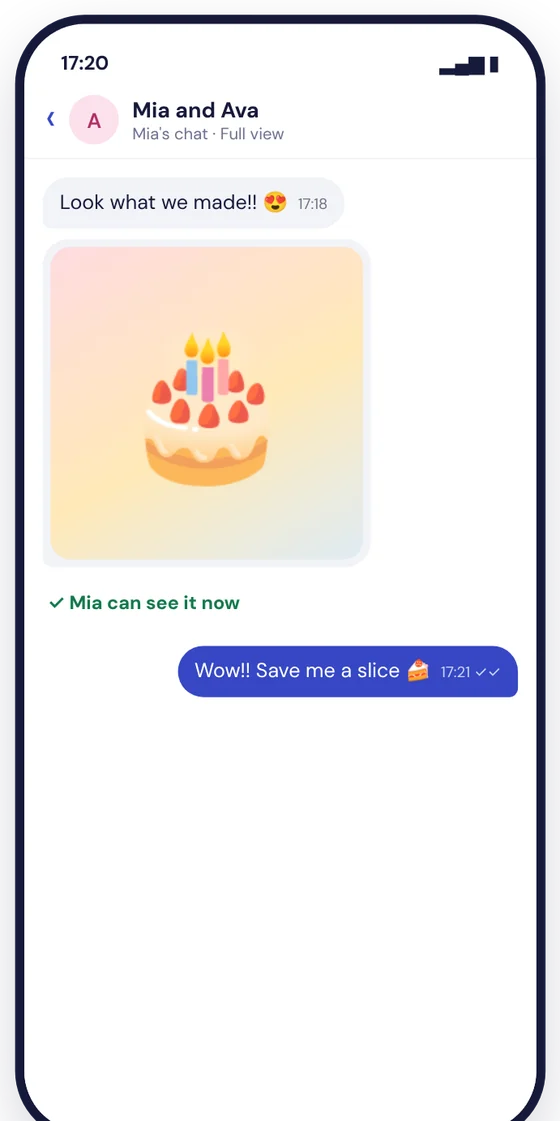
You can always see photos in your child's chats. One sent by another family reaches your child once you've checked it.
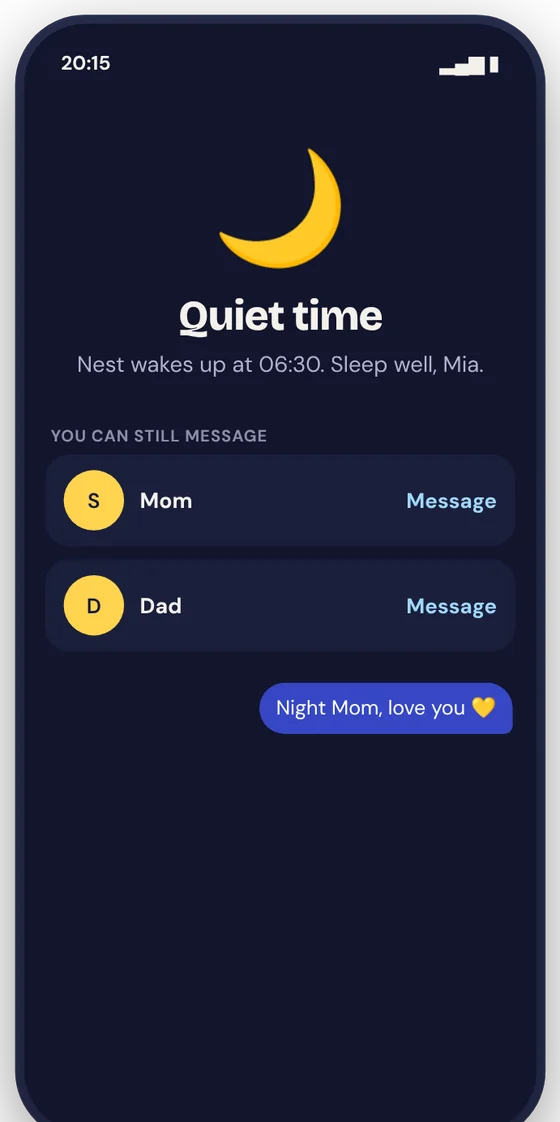
Chats with friends pause at bedtime and when the daily limit is used. Messages to Mom and Dad always go through.
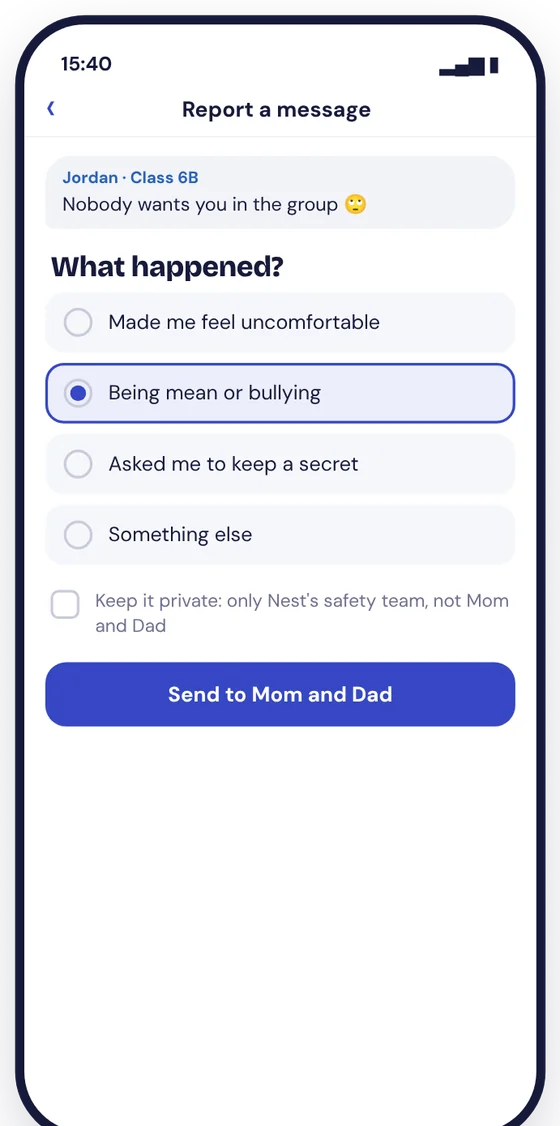
Your child can report a message and you're told straight away. They can also talk to Nest's safety team privately, so they always have somewhere to turn.
A quick walk through the app: the family home, a child's home, chats, friend approvals, what you can see, photos, quiet time and reporting.
Already using another app?
Lots of families start with WhatsApp, Messenger Kids or the phone's own controls. Here's what changes when your child moves to Nest.
WhatsApp's new parent controls let you manage contacts, groups and settings, but parents can't see any messages. In Nest you choose: every message, only the ones flagged for safety, or just who and when. Your child is told which.
Messenger Kids is made for under-13s and is set up from a parent's Facebook account. Nest needs no Facebook account and no phone number for your child, and it grows with them: you step back as they get older, so there's no app to swap when they become a teenager.
iPhone and Android controls set downtime and approve new numbers for the whole phone, but they don't show you messages. Nest adds the chats themselves, with your controls and your child's own safety tools built in.
| Question | Nest | Messenger Kids | |
|---|---|---|---|
| Built for | Children up to 17, with your view changing as they grow | 13 and up; parent-managed accounts for under-13s are rolling out | Under 13 |
| Can parents see messages? | You choose by age: every message, flagged ones only, or who and when. Your child is told which | No. Parents manage contacts, groups and settings | Yes, in the parent dashboard |
| Friends from other families | Both families' parents approve | Under-13s: a parent approves new chats | Both families' parents approve |
| Your child signs up with | A code from your Nest account. No phone number or social media account | A phone number | A parent's Facebook account |
| Private line to a safety team | Yes, your child can talk to Nest's safety team privately | Report and block | Report and block |
Where WhatsApp is ahead: its messages are end-to-end encrypted. Nest's aren't yet; they're encrypted on the way to our servers and while stored, so that you can see what your child's age setting allows.
Based on each app's own published information in November 2026. Apps change; if something here is out of date, tell us at privacy@sableconnect.app.
Straight answers
Invited families test Nest before it's in the App Store and Google Play. Expect the odd rough edge, and tell us about it.
Messages are encrypted on the way to our servers and while stored, but not yet end to end. Your child is always told what you can see.
Messages and photos are stored in France under EU data protection law. Notifications never show names or message text.
We’re completing our legal and safety review before we invite more families. If you have already asked for an invite, we have your details and will be in touch when we reopen; if you'd rather we removed them, email privacy@sableconnect.app. Families already in the beta can carry on using Nest. Questions: hello@sableconnect.app.
Questions
Nest is free for families, with no ads. Later there may be optional extras, but anything that helps you look after your child stays free.
You and any other parent in your family, at the level you choose for your child's age. A friend's parents see their own child's chats with yours, at their own setting. Your child is told what applies.
No. A parent creates the family and links each child's phone with a one-time code from the parent's account.
iPhone and Android. Tell us above which your family uses, so your invite has the right steps.
Install Nest through TestFlight (iPhone) or Google Play (Android) in the normal way. If your family uses Screen Time, Family Link or another parental-control app, approve Nest there like any other app. If you’re stuck, email hello@sableconnect.app.
For your child's chats with family and approved friends, yes. WhatsApp's own parent controls let you manage contacts but not see messages. Nest lets you see as much as their age needs.